

ecommerce conversion
customer experience strategy
digital customer experiences
Setting up pre-orders on Shopify isn't just about selling something before you have it in stock. It’s a strategic financial lever that transforms your product launches, allowing you to secure revenue and validate market demand before committing significant capital to manufacturing. From a business impact perspective, it’s a powerful tool to improve cash flow, de-risk inventory investment, and leverage consumer psychology to build powerful anticipation for your launch.
It’s easy to see pre-orders as a simple fix for out-of-stock items, but that view misses the profound impact on your ROI. A well-executed pre-order campaign is a powerful business intelligence tool, providing a data-driven forecast of market demand.
This means you can protect your profit margins by avoiding overproduction and sinking cash into inventory that sits on a shelf. Instead of taking a huge financial gamble on a product hoping it will sell, you confirm the demand before you commit to a big production run. It flips your business model from being reactive to proactive, directly benefiting your bottom line.
Let's analyze how a pre-order strategy stacks up against the traditional "stock it and hope" model. The differences in business impact are stark.
| Metric | Traditional Sales Model | Strategic Pre-Order Model |
|---|---|---|
| Cash Flow | Capital is tied up in inventory before any sales are made. | Revenue is generated upfront, funding production and improving cash flow. |
| Inventory Risk | High risk of overstocking and costly markdowns if demand is misjudged. | Minimized risk. Production is based on confirmed orders, reducing waste and protecting profit margins. |
| Market Validation | Demand is a guess until the product is launched and sales data comes in. | Demand is validated before major investment, providing clear market signals for accurate forecasting. |
| Marketing Hype | Hype is built around the launch day, with a short window to convert interest. | Builds sustained anticipation over weeks or months, leveraging psychological principles for a major launch "event." |
| Customer Engagement | Transactional relationship based on immediate availability. | Creates an "insider" community of early adopters, fostering brand loyalty and long-term value. |
As you can see, shifting to a pre-order model isn't just a small operational tweak—it's a fundamental change that gives you more control, better financial health, and a stronger connection with your customers.
The true power of pre-orders lies in their ability to tap into fundamental principles of consumer psychology. Announcing a product's future availability triggers powerful behavioral drivers that compel customers to commit early.
The most significant driver is anticipation. Behavioral economics research shows that the period of waiting for a desired item can increase its perceived value. By building a narrative and a gradual reveal, you create genuine excitement, turning a simple purchase into an event. To dig deeper, check out our guide on the benefits of cultivating consumer anticipation.
This approach also leverages the psychological principles of scarcity and exclusivity. Framing your pre-order as a limited-time opportunity—or for a limited number of items—creates a powerful sense of urgency. This activates a customer's FOMO (Fear Of Missing Out), a cognitive bias where the fear of loss is a stronger motivator than the prospect of gain.
A well-executed pre-order campaign doesn't just sell a product; it sells an experience. It invites customers to become early adopters and insiders, strengthening their connection to your brand long before the product even ships.
The Shopify ecosystem is the perfect place to run this play. With the platform powering a significant portion of US ecommerce and its total sales volume surpassing $1 trillion, the scale of the opportunity is massive.
Pre-orders give Shopify merchants—especially high-volume Shopify Plus brands—a way to manage huge product launches with precision, capturing sales the very moment that hype is at its peak. This is crucial in an industry where the average cart abandonment rate hovers around 70%.
Ultimately, a killer pre-order strategy does more than just move units; it helps improve your overall ecommerce customer experience. By mastering this approach, you turn a simple logistical step into a strategic advantage that drives both your top line and your customers' loyalty.
When you're ready to launch pre-orders, you'll face a decision: implement a manual solution or use a dedicated app. While the manual route offers granular control, a specialized app almost always delivers a superior customer experience and prevents operational bottlenecks. It's a classic trade-off between control and efficiency.
The right pre-order strategy isn't just about taking an order early; it’s a fundamental shift in how you run your business.
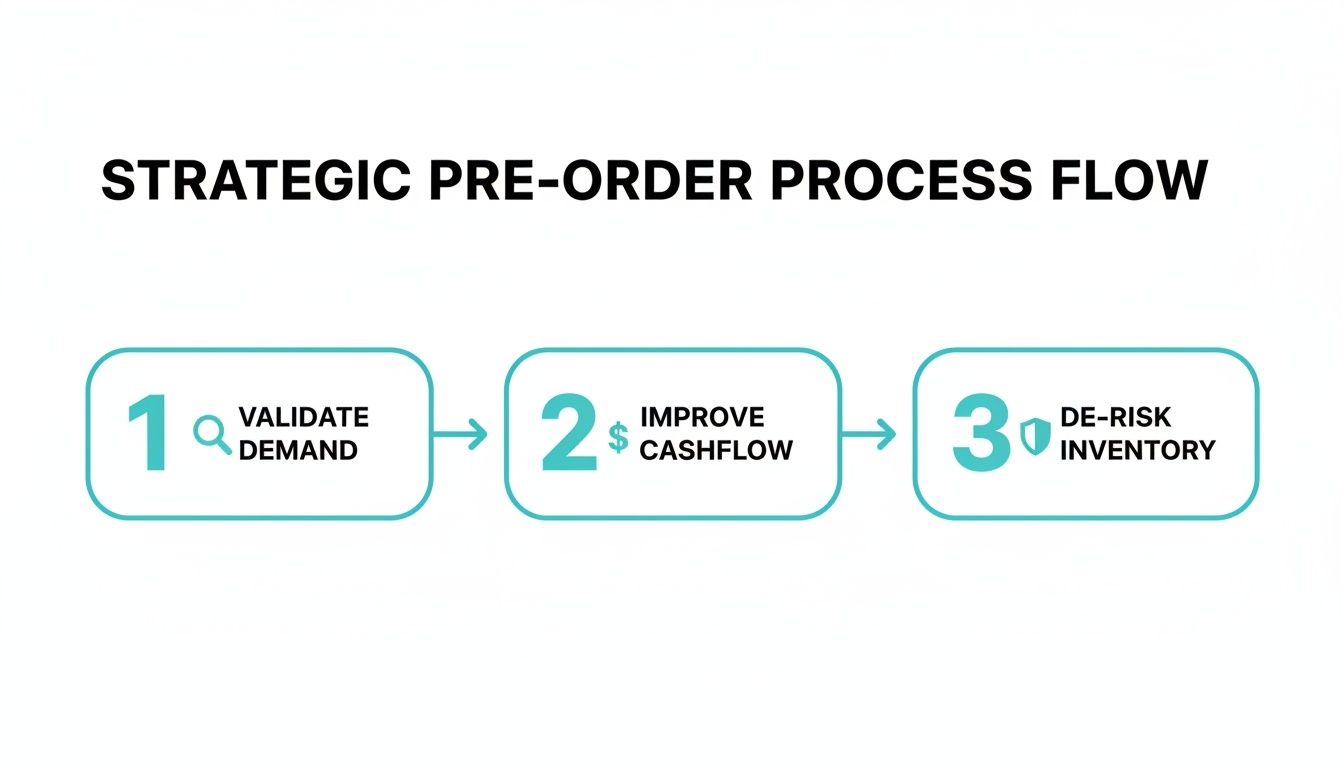
Each of these steps—validating demand, injecting cash into your business, and de-risking your inventory buys—moves you from a reactive to a proactive model. That’s how you protect your profit margins.
If you decide to go manual, you’re looking at diving into your theme's code. This usually means creating a custom product template where you swap out the "Add to Cart" button for "Pre-Order" and manually add text about when the item is expected to ship. This is a labor-intensive process that lacks crucial features like automated inventory management and sophisticated payment captures.
For most merchants, especially high-volume stores on Shopify Plus, dedicated pre-order apps are the superior choice. They automate the entire workflow, from tagging pre-orders for fulfillment teams to managing payment capture timing. They create the seamless, trustworthy experience that is nearly impossible to replicate with a manual hack.
Actionable Takeaway: Use a dedicated app for risk management. Many apps assign a specific "Scheduled" order status in Shopify. This tag signals to Shopify's fraud systems that it's a legitimate pre-order, not a delayed shipment. This is a critical step to avoid account holds, which can occur if a large volume of orders remains in "Unfulfilled" status for an extended period.
Whether you go with an app or brave the manual path, a few foundational pieces need to be locked in place for your pre-order launch to go off without a hitch.
Getting the foundation of your pre-order system right means ensuring your entire store is built on solid ground. It’s worth brushing up on the dos and don'ts of building your Shopify store to ensure your setup is robust enough to handle more advanced strategies like this. A well-organized store just makes everything easier.
With your Shopify pre-order system technically in place, it's time to shift from logistics to psychology. A successful pre-order campaign hinges on one thing: giving customers a compelling reason to buy now instead of waiting. This is where urgency marketing, grounded in behavioral science, transforms a simple pre-sale into a revenue-driving event.
Many merchants make the mistake of using generic pop-ups or basic countdown timers. However, effective urgency marketing is more sophisticated. It’s about leveraging powerful psychological drivers like scarcity, social proof, and FOMO to create authentic motivation. This positions urgency as sophisticated psychology, not manipulation.
Instead of just telling customers a sale is ending, you can build a tiered pre-order structure that tangibly rewards the earliest birds, driving immediate cash flow and validating your product concept.
A simple countdown timer is a basic tactic, but it's a blunt instrument. More sophisticated campaigns, like the "Moments" built by Quikly, are based on behavioral triggers that create a far more persuasive customer journey. This approach moves beyond generic timers that capture emails to revenue-generating events that enhance banners, pop-ups, and the entire shopper journey.
Here are a few actionable strategies you can implement right away:
These tactics are far more effective than a simple timer because they are wired into human decision-making processes. They create an exclusive event around your pre-order, not just another product listing. For more on this, check out our expert tips for implementing a countdown timer on Shopify for free.
The goal here is not just to boost conversion rates; it is to maximize revenue and protect your profit margins. An initial surge of pre-orders provides immediate product validation, de-risking your inventory investment. That upfront cash flow can then directly fund your production run, creating a self-sustaining financial model for new launches.
By framing a pre-order campaign with intelligent urgency, you shift the customer's mindset from "I'll buy this later" to "I need to secure this now." This is sophisticated marketing science, aligning with natural consumer psychology to build anticipation and drive immediate action.
This is especially critical today, with a significant percentage of online orders placed on mobile devices. The mobile-first environment is perfect for urgency-driven impulse buys. During peak seasons like BFCM, where Shopify has seen sales hit $4.2 million per minute, pre-orders paired with smart urgency ensure you capture every possible sale without hitting stockouts. This strategic pairing makes sure your pre-order campaign doesn't just collect interest—it drives significant, measurable revenue right out of the gate.
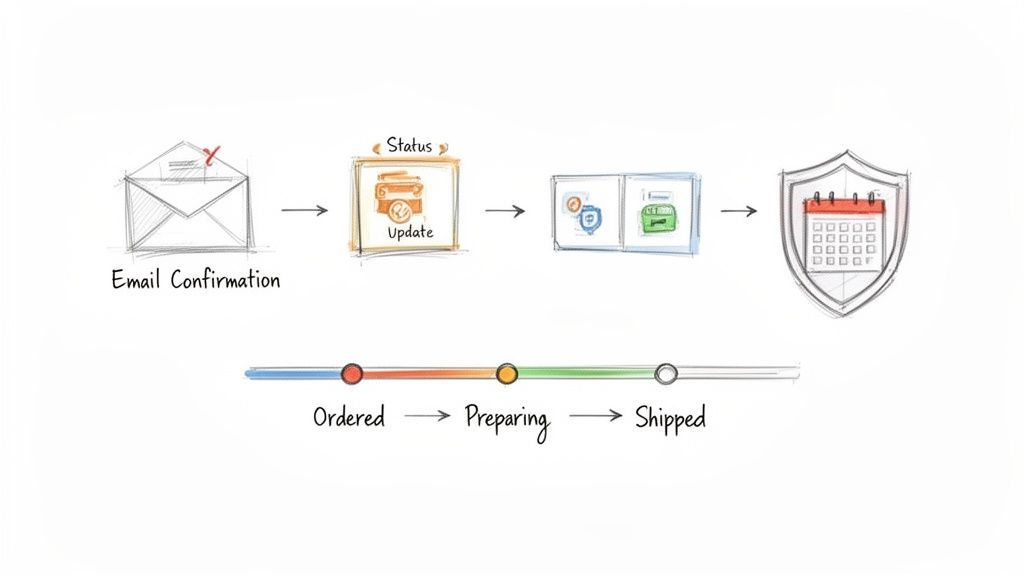
A successful pre-order campaign lives and dies by one thing: trust. And you build that trust with clear, proactive communication. When a customer pays for a product they won't receive for weeks—or even months—that waiting period becomes a crucial part of their customer experience.
Getting this wrong leads directly to chargebacks, cancellations, and a damaged brand reputation.
Your communication plan for pre orders shopify campaigns needs to be airtight, managing expectations from the moment someone lands on your product page. This goes way beyond a simple confirmation email. You need to build a transparent narrative that keeps customers informed, engaged, and genuinely excited for their order to arrive.
The second a customer hits "confirm pre-order," a new relationship starts. Your job is to nurture it by over-communicating. Silence breeds anxiety and buyer's remorse, the two primary drivers of cancellations and disputes.
This is where your automated email and SMS flows become your most valuable players. By integrating your Shopify store with a platform like Klaviyo, you can build out a smart communication sequence that triggers the moment a pre-order tag is applied.
Actionable Takeaway: Automate These Key Communications:
Your on-site messaging lays the groundwork for everything. It establishes the terms before a customer even considers adding the item to their cart. This documentation is also your first line of defense if payment processors question long fulfillment times.
A detailed, easy-to-find Pre-Order Policy page is non-negotiable. It demonstrates to both customers and risk management teams at Shopify that you're running a legitimate, transparent operation. This single page can dramatically reduce the chances of your account being flagged.
Make your policy page dead simple. Answer the biggest questions right at the top.
When you nail this communication workflow, you turn that dreaded waiting period from a point of friction into a chance to build an even stronger relationship with your customer. That's how you protect your revenue, your reputation, and turn one-time buyers into loyal fans.
Once your Shopify pre-order campaign concludes, the real work begins. The data you've collected is an invaluable asset for strategic planning, but only if you analyze it correctly. This is where you translate raw order numbers into a concrete strategy for your next launch.
The simplest, most effective way to start is with Shopify’s tagging system. Tagging allows you to identify pre-order products and orders from the very beginning. If you're on Shopify Plus, you can automate this with Shopify Flow, applying a pre-order tag the moment a customer checks out. This small step is a huge operational win, enabling your fulfillment team to filter and manage orders efficiently.
You can configure a rule in Shopify Flow to automatically add a “pre-order” tag based on a product's SKU or template. But the real power comes from integration. Sync those tags with a tool like Klaviyo, and you've instantly created a segmented email list perfect for sending targeted status updates. This kind of integration ensures alignment across marketing, operations, and customer service.
Here are a few actionable tactics:
While it's easy to focus on conversion rates, true success is measured by a broader set of indicators that reflect ROI and business health. The right metrics will show you how well you protected your profit margins, the accuracy of your forecasting, and where potential inventory risks lie.
Here’s what you should be watching:
Industry Benchmark: A cancellation rate under 3% is a solid benchmark for a healthy pre-order campaign. It indicates that customer expectations and communication are well-managed.
| Metric | Definition | Benchmark |
|---|---|---|
| Pre-order conversion rate | Pre-order signups ÷ page views | 5–8% |
| Cancellation rate | Pre-order cancellations ÷ total pre-orders | < 3% |
| Average pre-order AOV | Pre-order revenue ÷ number of orders | $75+ |
Data is useless if it lives in a silo. Set up a quick, 15-minute weekly check-in with your marketing, operations, and inventory leads to go over the pre-order numbers. A shared Google Sheet that pulls live data from Shopify is perfect for tracking pre-order conversion and cancellation trends in real-time.
This huddle is where the magic happens:
Tracking these metrics by channel will give you an even clearer picture of where to shift your budget for maximum impact.
Armed with these insights, you can start forecasting demand for your next launch with much greater confidence. You can fine-tune production quantities to protect your margins and potentially slash excess inventory by up to 15%, all based on what you learned from your last pre-order run.
Here’s how to put that data into action:
When you regularly review these metrics, your pre-order program evolves from a one-off tactic into a reliable growth engine for your business. You’re closing the loop between data and action, sharpening every future campaign.
Got questions about running pre-orders on Shopify? You’re not alone. When you’re jumping into pre-order campaigns, a few key questions almost always pop up.
Getting these figured out early helps you sidestep the common pitfalls and build a strategy that actually works. Let's tackle the big ones.
Technically, no. You could attempt a manual solution by tweaking your theme code and using different product templates. However, this approach is often clunky, prone to errors, and lacks the sophisticated features needed for scaling.
A dedicated pre-order app is the recommended path. It automates the entire process—from swapping the "Add to Cart" button to managing inventory counts and navigating complex payment rules. For a Shopify Plus merchant planning a high-volume launch, an app isn't just a nice-to-have; it's essential for maintaining a positive customer experience and operational sanity.
Done right, it can provide a significant SEO advantage. When you launch a product page weeks or even months before inventory is available, you give search engines a head start. They have more time to crawl, index, and begin ranking your page for target keywords.
All the early traffic, social media buzz, and backlinks generated during the pre-order campaign send strong authority signals to Google. This can help you rank much higher on your official launch day than if you had waited to publish the page. Just ensure your pre-order pages are fully optimized with detailed descriptions, high-quality images, and the correct schema markup.
You have two main options: charge the customer immediately, or authorize their card and capture the funds upon shipment.
Charging upfront is superior for your cash flow. It secures the sale and provides working capital for production. The critical caveat is that you must be exceptionally clear about delivery timelines. Transparency is non-negotiable to avoid chargebacks and customer service issues.
Authorizing the payment can feel safer for some customers, but it has a major drawback. Shopify's authorization window is typically short (often 7 days), which is not viable for products with longer production lead times.
For most brands, capturing the full payment immediately is the standard and most effective practice. This works beautifully as long as your pre-order policy, product page copy, and confirmation emails are all perfectly aligned on the expected shipping date. It's all about managing expectations from the very first click.
Turn casual browsers into committed buyers with Quikly. As experts in the science of urgency marketing, our platform helps Shopify stores like yours drive immediate action and maximize revenue during pre-order campaigns. Discover how our behavior-driven "Moments" can amplify your next launch by visiting https://hello.quikly.com.