

ecommerce conversion
customer experience strategy
digital customer experiences
If you want to drive real action with an email countdown timer, you first have to understand the shopper's mind. A ticking clock isn't just a clever design trick; it’s a strategic tool rooted in behavioral economics, engineered to nudge a shopper from "just looking" to "buying now" by leveraging powerful psychological triggers.
An email countdown timer is far more than a visual gimmick showing time slipping away. It’s a direct line to the fundamental human drivers that compel us to act. When a customer sees that timer, it sets off a cascade of cognitive responses that have a measurable impact on their buying behavior—and your revenue.
This isn’t about manipulation; it’s about applying proven consumer psychology. You're creating a clear, finite window of opportunity. In doing so, you’re helping customers overcome the decision paralysis that leads to the industry benchmark 70% average cart abandonment rate, directly impacting your bottom line.
The primary psychological lever a countdown timer pulls is scarcity. Behavioral economics research consistently shows that when something is available for a limited time, its perceived value increases. We are hardwired to place a higher value on things that are harder to get. A timer makes the scarcity of time tangible and immediate.
This directly feeds into the Fear of Missing Out (FOMO), a powerful motivator for modern consumers. That ticking clock is a constant, visual reminder that a valuable offer or exclusive product is about to vanish. For most people, the psychological pain of a potential loss is a much stronger motivator than the prospect of a potential gain.
By transforming an abstract deadline into a visual, ticking element, you make the concept of "limited time" concrete. This shift is what encourages the brain to prioritize the action, leading to higher conversion rates and immediate revenue uplift.
It's not all about scarcity. Timers are also exceptional tools for building anticipation. Consider a major product launch or the start of a holiday sale. A timer that counts down to the moment an offer goes live creates a sense of shared excitement and primes your audience to act immediately. Your standard email announcement suddenly feels like a can't-miss event.
You can dive deeper into how to apply these concepts in our complete guide on consumer psychology and why urgency causes action.
When you understand these psychological hooks, you can use an email countdown timer for more than just a single campaign's conversion rate. You can strategically manage inventory, protect profit margins by avoiding open-ended discounts, and generate predictable spikes in revenue.
Picking the right way to email a countdown timer is a strategic decision that directly impacts your campaign's ROI. This isn't just about aesthetics; the technology you choose affects everything from email client compatibility to the psychological power you can deliver. A basic timer might create a flicker of urgency, but a dynamic timer backed by behavioral triggers can generate significant revenue.
At its core, the choice is between simplicity and power. Your decision must align with your campaign goals, whether you’re running a quick flash sale on Shopify or a highly personalized, evergreen offer through Klaviyo.
For marketers just beginning to explore urgency tactics, animated GIF timers are often the first stop. Think of them as a pre-recorded video of a clock ticking down, looped to give the illusion of a live countdown.
Their biggest advantage is universal compatibility. Nearly every email client can display a GIF, ensuring your subscribers will see something. But this simplicity comes with major drawbacks that limit business impact:
This is where true urgency marketing begins. A live hosted image is the most common and effective way to embed a real countdown timer in an email. When a subscriber opens the email, their client requests an image from a server that generates a perfectly accurate, up-to-the-second image of the timer.
That real-time accuracy is a game-changer for creating genuine FOMO that drives conversions. Every person who opens that email sees the correct time remaining, which maximizes the psychological impact and revenue potential.
The secret weapon of live timers is the "expiration state." Instead of showing a dead timer, the image can automatically switch to a "Sale has ended!" message or even promote a different offer. This saves the customer experience and helps you recover potential revenue from late openers.
While these timers have broad support, some older email clients (like legacy desktop Outlook) can be resistant. This is why a robust fallback strategy is a non-negotiable part of professional implementation.
If live images are the standard, AMP (Accelerated Mobile Pages) for Email is the cutting edge. An AMP timer isn't an image at all; it's a live, interactive component embedded directly into the email. This offers unparalleled accuracy and opens the door for complex in-email engagement.
However, there's a significant catch. AMP adoption is still limited, primarily supported by major providers like Gmail and Yahoo. It also requires a much higher level of technical expertise, often demanding developer resources. For most e-commerce brands, the high performance and ROI of live hosted images outweigh the complexity of AMP.
To make the choice clearer, here’s a quick breakdown of how these three methods stack up against each other.
| Feature | Animated GIF | Live Hosted Image | AMP for Email |
|---|---|---|---|
| Real-Time Accuracy | No | Yes | Yes (Highest) |
| Email Client Support | Universal | High (with fallbacks) | Limited |
| Personalization | No | Yes | Yes (Advanced) |
| Post-Expiration Content | Yes | Yes | Yes |
| Ease of Implementation | Very Easy | Easy | Difficult |
Ultimately, the table shows that for most campaigns needing reliable, dynamic urgency, the Live Hosted Image hits the sweet spot between power and practicality, delivering the best ROI.
This flowchart helps visualize how to connect a specific psychological trigger with the right kind of timer for your goal.
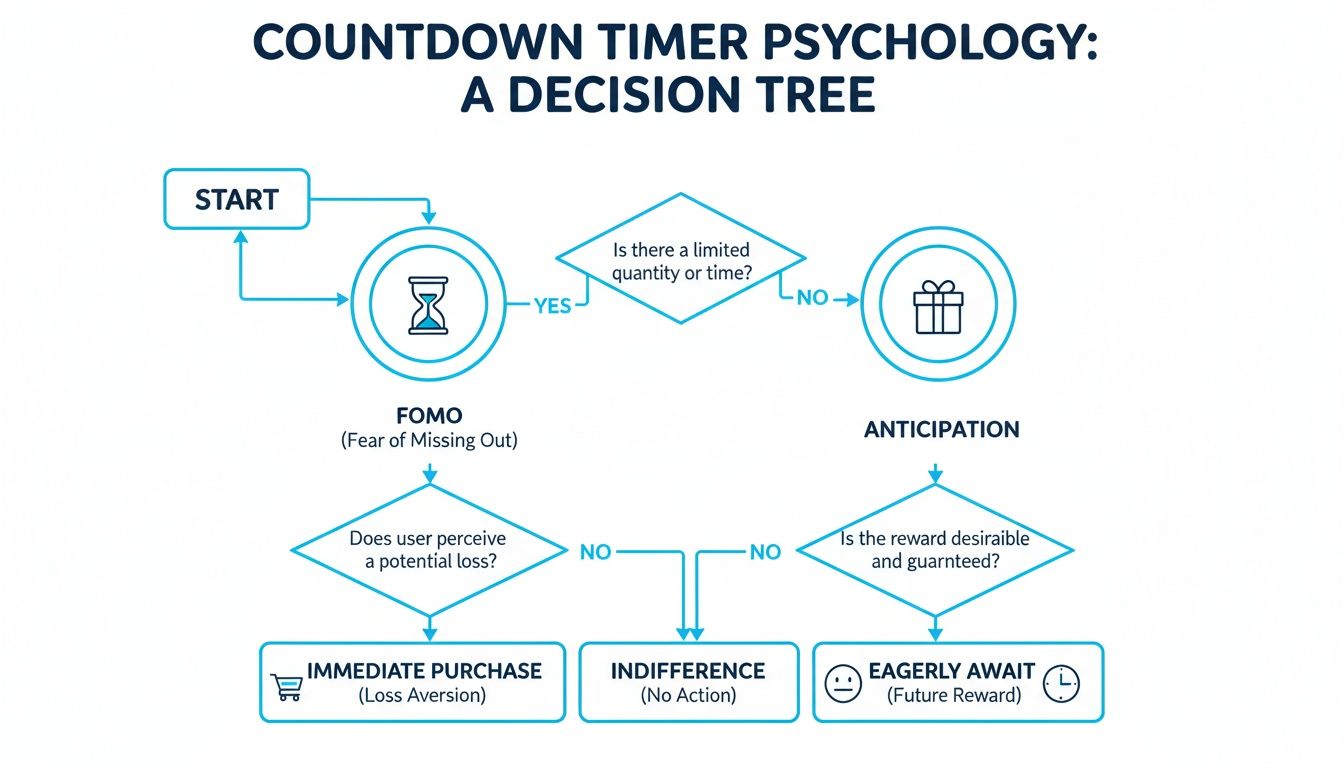
As you can see, if you're trying to create deep, personalized urgency through FOMO or scarcity, dynamic options are your best bet. Simpler goals, like building general anticipation, can be handled with more basic tools.
If you happen to be on Shopify, you can dive deeper into how to implement a free countdown timer for your Shopify store that taps into these more advanced, psychology-driven principles.
Now that you understand the strategy, it's time for practical implementation. Embedding a countdown timer into your marketing emails is a direct line to tapping into the psychological principles we've covered, turning passive subscribers into active buyers. The implementation is straightforward, especially if you're using a dedicated timer generator or an integrated urgency platform.
This isn’t just about adding a visual to your email; it's about unlocking revenue. Emails with countdown timers have been a proven tool for urgency marketing, particularly for e-commerce brands on platforms like Shopify. Adding timers can boost conversion rates by an impressive 22-30% on average. Even cart abandonment campaigns see 15-25% higher recovery rates.
Regardless of your chosen tool, the first step is always generating the timer. Most marketers use a third-party tool for this, as coding one from scratch for every campaign is not a practical use of resources.
The process typically involves these steps:
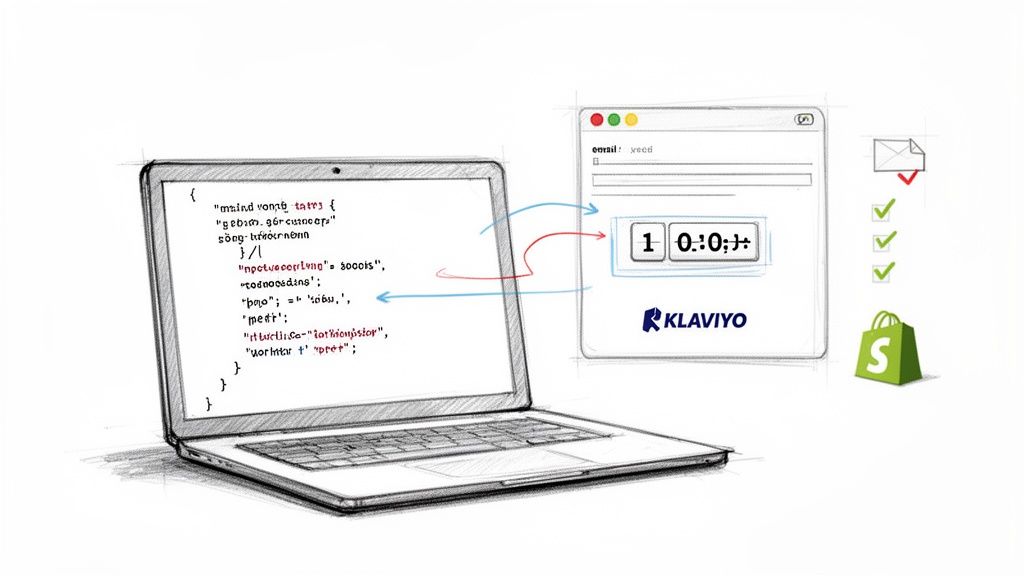
Once your timer is designed, the platform will provide a small snippet of HTML code. This is what you'll place directly into your email template. The process is nearly identical across most major email service providers (ESPs), including popular Shopify integrations like Klaviyo.
Actionable Takeaway: The generated code is essentially an
<img>tag. Your email client treats it like any other picture, but the magic is in thesrcattribute. It points to a dynamic server that generates the correct timer image every single time the email is opened. That's how live hosted timers work.
Inside your ESP's email editor, locate an "HTML block" or "Code block." Drag that block to your desired location—usually above the fold for maximum visibility—and paste in your code. Avoid pasting it into a standard text block, as the editor may not render the HTML correctly. Of course, a great timer needs great text to go with it, so it's also worth learning how to write email copy that your subscribers will love.
A common concern is compatibility, especially with older desktop versions of Outlook that struggle with dynamic content. A robust fallback strategy is essential, and any professional timer generation tool will handle this for you automatically.
The HTML snippet you receive often includes conditional code specifically for clients like Outlook. While users on modern clients see the live, ticking timer, your Outlook users will see a static fallback image you've designated. This ensures no one receives a broken image, which can erode trust and damage your campaign's performance. Always test your email across different clients before sending.
A well-placed countdown timer is an excellent starting point, but it's only one instrument in the orchestra. The most significant business impact comes from orchestrating a complete urgency journey for your customer, moving beyond a simple time limit to create a multi-layered experience grounded in behavioral science.
This is the fundamental difference between a basic timer app and a true urgency marketing platform. A simple tool can place a ticking clock in an email. A platform like Quikly, on the other hand, builds an entire automated ecosystem around that moment of urgency. It’s about weaving together scarcity, social proof, and anticipation into a sequence that naturally guides a shopper from browsing to buying. This is how urgency marketing moves from a simple tactic to a sophisticated psychological strategy.
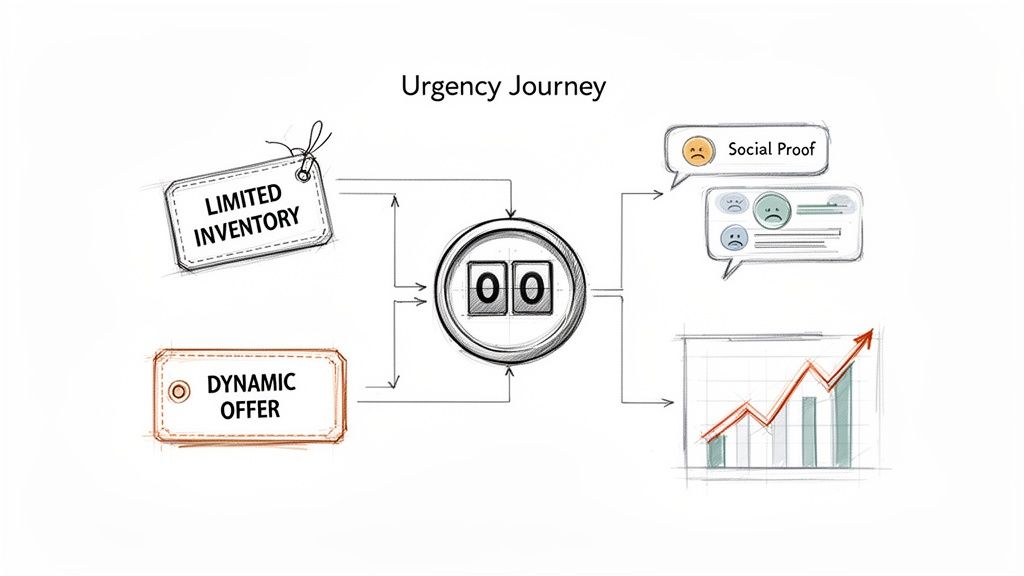
Instead of thinking about a single email with a timer, picture creating a "Moment" that unfolds over several touchpoints. This is where you pair your email a countdown timer with other powerful behavioral triggers to amplify its effect and generate more revenue.
This integrated approach transforms a simple flash sale into a strategic, revenue-driving event. You shift from just capturing email addresses—the primary goal of many basic pop-ups—to driving high-intent purchases and maximizing ROI. Layering these tactics also helps to actively reduce shopping cart abandonment by addressing hesitation at multiple points in the customer journey.
Manual flash sales often erode margins and create inventory chaos. An automated, strategic approach to urgency solves this. You can create controlled bursts of demand to clear specific SKUs without resorting to across-the-board, profit-killing discounts. This is especially critical for Shopify Plus merchants managing large and complex inventories.
The data supports this. While the industry-average conversion rate is around 2.5%, campaigns using advanced urgency in automated flows—like abandoned cart sequences—can see recovery rates jump by 10-15%.
An advanced urgency platform doesn't just send an email; it launches an automated, multi-channel "Moment." It integrates with your entire tech stack, from Klaviyo to your SMS platform, ensuring the message is consistent and impactful wherever your customer is.
This is the next generation of urgency marketing. It’s about moving away from one-off tactics and toward a cohesive, psychology-driven system that predictably boosts revenue, streamlines operations, and builds a more engaging experience for your customers.
Implementing a countdown timer is just the first step. The real ROI is realized through continuous testing and optimization, turning a good campaign into a revenue-generating machine. To do this correctly, you must focus on the metrics that directly impact business goals.
Your objective is to understand what truly motivates your customers to act. This requires a granular approach. The most effective method is running simple A/B testing to see what genuinely connects with your audience. Don't guess; build a structured plan to test one variable at a time to gather clean, actionable data.
Start with your subject lines. This is your first impression, so make it count. Pit a direct, urgent message like "Sale Ends in 3 Hours" against something that leverages FOMO, such as "Don't Let This Get Away." Small changes here can lead to significant increases in engagement and revenue.
Next, test the timer's placement within the email. Placing it "above the fold" is a common best practice, but is it always the most effective? Try testing a version where the timer is positioned closer to your primary call-to-action button. The goal is to find the placement where the ticking clock creates the most powerful psychological pull toward conversion.
True optimization is about tracking the metrics that tie directly to your bottom line. Move beyond vanity metrics and dig into the data that proves your campaign's financial impact.
The concept of interactive email elements like timers has roots in early AMP for Email innovations that pushed the boundaries of the inbox. That focus on engagement has paid dividends, with reports showing that interactive elements can provide a healthy boost to both open and click-through rates.
Actionable Takeaway: Always have a backup plan. Some email clients, particularly older versions of Outlook, will not render dynamic timers correctly. A static fallback image is not optional—it's essential. This simple step ensures every subscriber receives a clean, professional email, protecting both your brand's reputation and the campaign's performance.
Whenever you implement a new tactic like an email countdown timer, key questions arise about both strategy and technology. Answering these questions separates a basic campaign from one that truly drives revenue.
Here are the most common questions marketers have when they begin to leverage urgency.
This is the most critical technical question. The short answer is: mostly.
Live, hosted timers have excellent support across major providers like Gmail, Apple Mail, and Yahoo. The primary exception has always been older, desktop versions of Outlook, which are known for struggling with dynamic content.
This is why a robust fallback strategy is non-negotiable. A professional timer tool will automatically display a static image of the timer to those Outlook users, ensuring no one ever sees a broken email. It’s a simple fix that protects the customer experience and maintains brand professionalism.
Absolutely. The power of a countdown timer is rooted in its credibility. If every email screams "last chance!" or "offer ends in 1 hour!", subscribers quickly learn that the urgency is manufactured.
This leads to urgency fatigue. Once it sets in, the psychological trigger loses its effectiveness, and you begin to erode customer trust.
The most effective strategies reserve countdown timers for genuine deadlines—a true flash sale conclusion, an expiring shipping cutoff, or the end of an early-bird offer. Authenticity is the bedrock of psychology-driven marketing; without it, the tactics lose their power.
While it’s tempting to look at opens and clicks, these metrics don't tell you if the timer worked to generate business. They don't connect to what really matters: revenue.
To measure true ROI, you must focus on business-impact metrics:
By focusing on these KPIs, you move past vanity metrics and can prove the direct financial impact your urgency strategy is having on the bottom line.
Ready to move beyond basic timers and orchestrate a complete urgency journey? Quikly is the expert in urgency marketing science, helping top brands on Shopify turn psychological principles into predictable revenue. Discover how our automated, multi-channel campaigns drive action, enhance banners and popups, and protect your profit margins. Learn more about Quikly.