

ecommerce psychology
brand loyalty
best brand experiences
Selling a product on Shopify before it’s even in stock? That’s the magic of a pre-order. It’s a strategy that completely flips the script on traditional sales, letting you validate an idea and secure revenue upfront. Instead of gambling on a massive inventory order, you turn your launch into a predictable, revenue-generating event, directly impacting your ROI and protecting profit margins.
Pre-orders are so much more than a simple sales tactic—they're a powerful business strategy grounded in consumer psychology. When you offer something for sale before it's officially available, you’re tapping into core behavioral principles like anticipation, scarcity, and social proof. This isn’t just about ringing up sales; it’s about building a narrative that invites customers to become invested in your brand's journey.
Of course, before diving in, it's smart to have your e-commerce foundation sorted. If you're still weighing your options, getting a handle on comparisons like Shopify vs WooCommerce is a good starting point.
This entire approach translates into tangible business results that protect your bottom line. Forget ordering thousands of units based on a spreadsheet forecast. With pre-orders, you can gauge precise demand and place inventory orders with confidence, eliminating costly overstock and missed sales opportunities.
The true power of a pre-order campaign lies in its ability to cultivate genuine anticipation. Behavioral economics research shows that when a customer commits their money to a future product, they become psychologically invested in the outcome. The waiting period is no longer a point of friction; it's an exciting countdown they are a part of.
You're tapping into a few key psychological triggers:
Ultimately, this is about driving revenue and protecting your profit margins. Pre-orders on Shopify have become a go-to strategy for brands looking to de-risk product launches. This is especially true as mobile shopping continues to dominate.
With an estimated 63% of all online orders expected to come from mobile devices soon, a seamless pre-order experience on a phone is non-negotiable. When you layer sophisticated urgency campaigns on top of these pages—moving beyond basic timers to advanced behavioral triggers—you convert passive browsers into committed buyers, directly boosting your return on ad spend (ROAS).
The smartest Shopify brands don't just enable pre-orders; they weaponize them. They use behavioral triggers to create demand before a single unit is produced, turning product launches from a financial risk into a guaranteed revenue event.
Tracking the right numbers is the only way to know if your pre-order strategy is driving real business impact. These aren't just vanity metrics; they're direct signals telling you what to do next. Here are the essential KPIs you should have on your dashboard.
| Metric | What It Measures | Target Benchmark | Strategic Implication |
|---|---|---|---|
| Pre-Order Conversion Rate | The percentage of visitors who complete a pre-order. | 2-5% (varies by industry) | A low rate may signal issues with your product page, pricing, or the perceived value of ordering early. |
| Cart Abandonment Rate | The percentage of shoppers who add a pre-order item to their cart but don’t check out. | Below 60% | High abandonment could mean unexpected shipping costs, a complicated checkout, or a lack of trust signals. The industry average is near 70%. |
| Average Order Value (AOV) | The average amount spent per pre-order transaction. | 15-20% higher than standard AOV | Indicates if pre-order exclusives or bundles are successfully encouraging customers to spend more, boosting immediate revenue. |
| Customer Lifetime Value (CLV) | The total revenue a customer generates over their entire relationship with your brand. | Varies | Pre-order customers often have a higher CLV, showing they are more engaged and loyal brand advocates. |
| Refund/Cancellation Rate | The percentage of pre-orders that are canceled before fulfillment. | Below 5% | A high rate can point to long wait times, poor communication, or a disconnect between expectations and reality, directly eroding revenue. |
Monitoring these metrics gives you a clear picture of what's resonating with your audience and where you have opportunities to fine-tune your approach for even better results.
Launching a pre-order campaign on Shopify isn't as simple as flipping a switch. You've got to build the right technical foundation for your specific goals, and the path you choose will ripple through everything from the customer experience to how you manage orders on the back end.
There are really three ways to go about it, each with its own quirks and benefits.
The potential here is huge. We're talking about a platform with millions of active stores. A solid benchmark to shoot for is a 2-5% pre-order conversion rate, which can easily outperform the typical 2.5% average store conversion. When you consider that Shopify sites can pull in over 1 billion visits in a single quarter and the platform's infrastructure speed has jumped by 35% to handle that load, you know your setup has to be robust.
This decision tree can help you visualize which path makes the most sense, whether you're launching something brand new or just restocking a fan favorite.
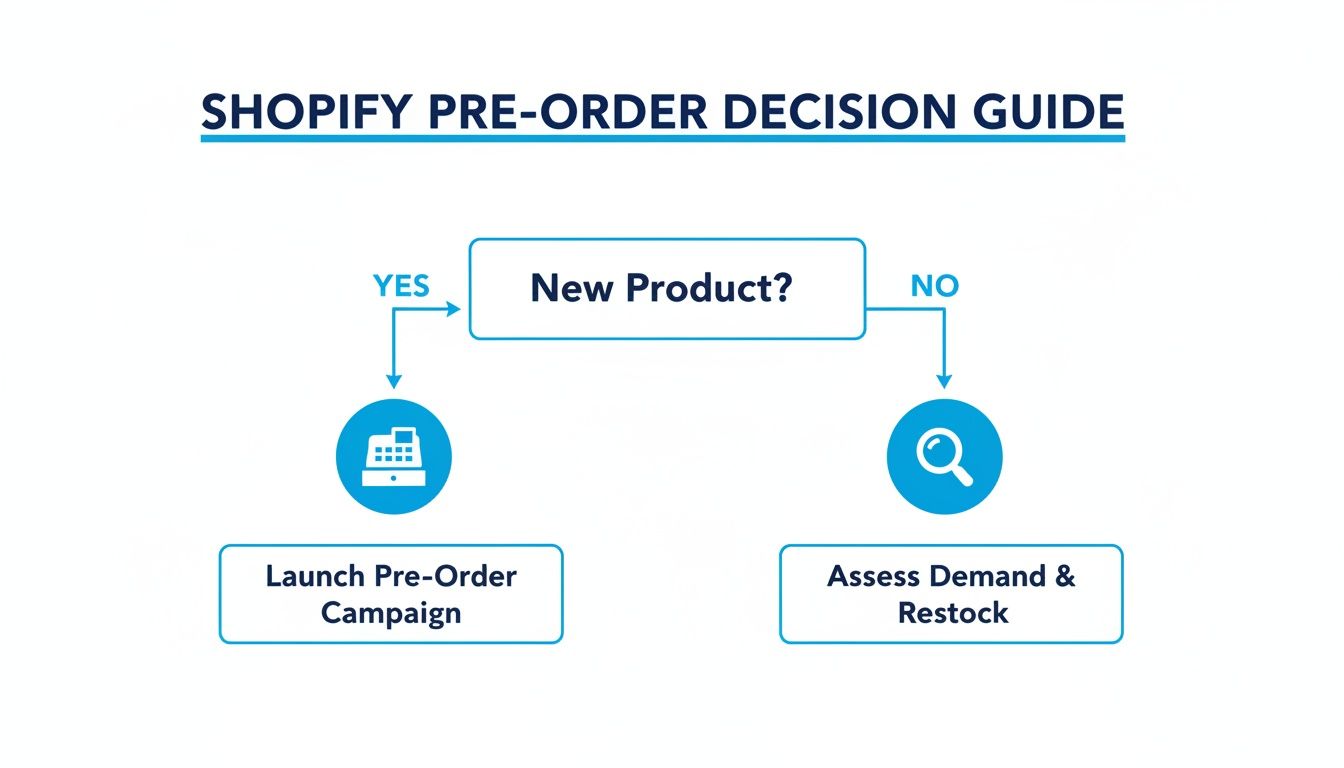
The main takeaway? New products usually need that upfront cash flow, so securing payment is key. For restocks, it's often more about gauging demand before you commit to another big inventory purchase.
This is by far the most common and straightforward route. You install a dedicated Shopify app, and it does all the heavy lifting, swapping out the standard "Add to Cart" button for a "Pre-Order" one on the products you select.
This approach is perfect if you value speed and simplicity and don't want to get your hands dirty with code. If you need a hand picking the right tools, our guide on the best apps for your Shopify store is a great place to start.
Actionable Takeaway: Look for apps that integrate cleanly with Shopify's order system. The best ones will automatically tag pre-orders for you. This tiny feature is a lifesaver, making it ridiculously easy to filter and manage these orders separately from your normal fulfillment workflow.
If you’ve got a developer on hand or you’re comfortable diving into Liquid code yourself, this path offers total control. It involves creating a separate product page template and tweaking the code to change the button text and payment process.
This is the advanced route. It lets you create a completely custom pre-order experience that feels like a natural extension of your brand. But—and it's a big but—you run the risk of breaking your site if you don't know exactly what you're doing. It's a high-reward strategy, but it’s best reserved for stores with dedicated development resources, like those on Shopify Plus.
There's a third, more limited option: using Shopify's built-in "Continue selling when out of stock" feature. You just set a product's inventory to zero, check that box, and you can technically keep taking orders.
While it's free and dead simple, it's not a true pre-order system. Customers see a normal checkout and might not even realize they're buying something that isn't ready to ship. This can lead to a lot of confusion and a spike in "Where's my order?" emails.
Think of this as a quick fix for backorders, not a strategic pre-order launch. It gets the job done functionally, but you completely miss out on building the hype and anticipation that make pre-order campaigns so powerful.
Your standard product page is designed to get a sale right now. A pre-order page, on the other hand, has a much trickier job: it has to sell a promise. This means you need to shift your entire approach from instant gratification to building rock-solid trust and genuine anticipation. The goal is to turn that page into a conversion machine for a product your customers can't even hold yet.
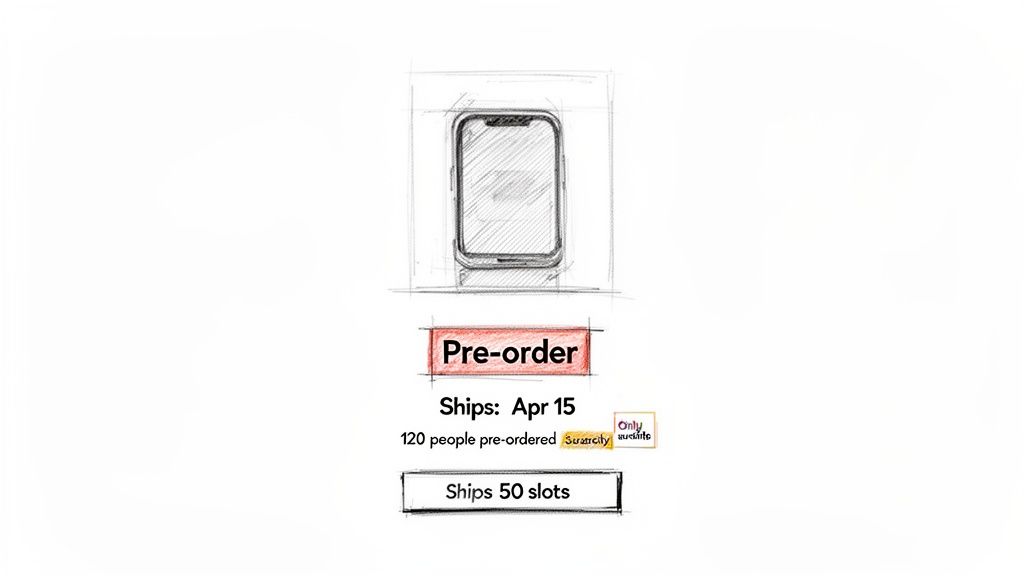
Your entire design has to answer one fundamental question for the shopper: "Why should I buy this now instead of just waiting?" Every single element, from the hero image down to the button text, needs to work together to give them a compelling, psychologically-grounded reason.
Since a customer can't physically touch or see the product, your visuals and copy have to do all the heavy lifting. This isn't the place to skimp. High-quality mockups, polished 3D renders, or even detailed, professional sketches are non-negotiable. They make the future product feel tangible and real.
Your product description is just as vital. It needs to go way beyond a simple list of features and instead sell the exclusive benefits of being an early adopter. In fact, a huge piece of a high-converting pre-order page is the description itself; you need to write compelling product descriptions that sell. Frame the whole narrative around joining an exclusive club or being the very first to experience something game-changing.
The single biggest killer of a pre-order conversion is uncertainty. Your job is to stamp it out with clear, upfront communication. Vague promises won't work here. Customers need specific details to feel secure enough to hand over their money for something they won't receive for weeks or months.
Make sure your page prominently displays:
A well-designed Shopify pre-order page doesn’t hide the wait; it celebrates it. By being transparent about timelines and framing the purchase as an exclusive opportunity, you transform a potential point of friction into a compelling reason to buy immediately.
Once you've built that foundation of trust, you can start layering in urgency. This isn't about manipulation; it's about using proven behavioral economics to encourage action. A basic countdown timer is a decent start, but more sophisticated triggers are what really drive revenue.
Actionable Takeaway: Weave in social proof and scarcity:
When these elements work together, you create an environment where ordering now feels like the smartest, most logical choice, which can dramatically boost your Shopify pre-orders without ever eroding customer trust.
If you’ve got a well-designed Shopify pre-order page, you've built the foundation of trust. But to turn that passive interest into immediate cash flow, you must layer in urgency.
This isn't about generic countdown timers that shoppers have learned to ignore. Real urgency is a different beast altogether. It’s rooted in behavioral economics, tapping into psychological triggers that give customers a compelling reason to buy now instead of "later."
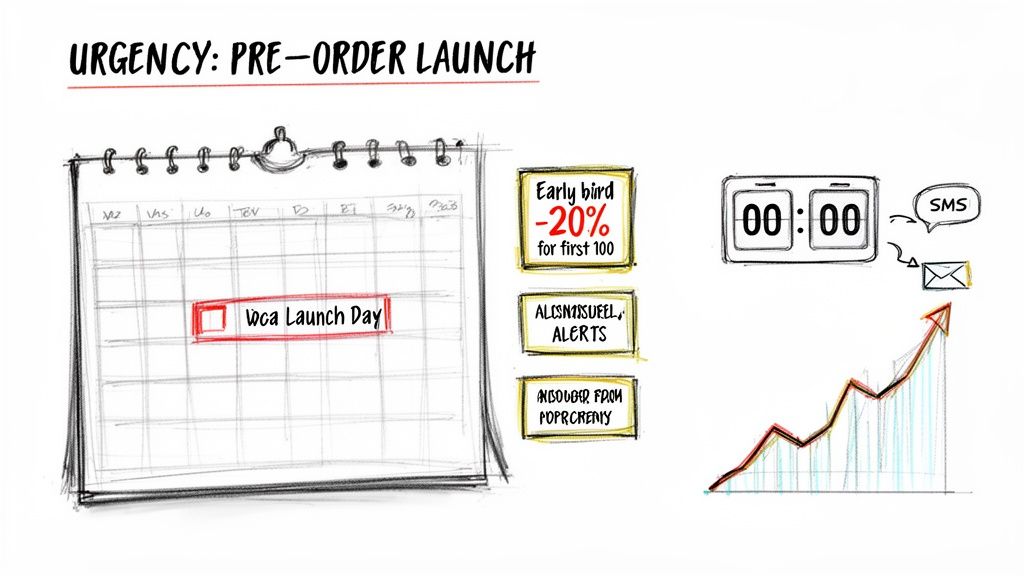
The goal here is simple: protect your profit margins and get a faster return on your ad spend by converting shoppers the moment they land on your page. This is absolutely critical during high-traffic events like Black Friday Cyber Monday (BFCM), when billions are up for grabs.
To stay profitable during these peaks, your Average Order Value (AOV)—which was $85 across Shopify recently—should be at least 3x your Customer Acquisition Cost (CAC). Advanced urgency campaigns are the key to hitting that multiple, cranking up conversion rates and locking in sales when buying intent is at its highest. You can dive deeper into Shopify's performance metrics to see just how important this is.
The standard pop-ups and timers we see everywhere are tired. While they might capture an email, they lack the psychological punch to drive significant revenue spikes, focusing on lead generation rather than immediate sales.
This is where advanced urgency, powered by a platform like Quikly, changes the game. As experts in the science of urgency marketing, Quikly helps brands create high-impact "Moments" that tap into much more powerful motivators, like competition and social proof, transforming the entire shopper journey.
Forget the simple "sale ends in 24 hours" banner. Instead, implement sophisticated behavioral triggers:
Strategies like these introduce real stakes. They completely shift the customer's mindset from, "I'll think about it," to, "I need to get this now," generating revenue instead of just capturing an email.
The gap between a basic timer and a true urgency campaign is massive. One is a passive notification; the other is an active revenue driver grounded in consumer psychology.
| Feature | Basic Countdown Apps | Quikly Urgency Campaigns |
|---|---|---|
| Primary Goal | Create general scarcity or capture emails | Drive immediate, high-intent conversions and revenue |
| Psychological Trigger | Fear of Missing Out (FOMO) | Competition, Social Proof, Loss Aversion |
| Customization | Limited (e.g., set end time) | Highly flexible (tiered rewards, ranked offers) |
| Channel Integration | Typically on-site only | Full-funnel (Email, SMS, Social, On-Site) |
| Revenue Impact | Minimal, often ignored | Significant, proven revenue spikes |
| Audience Engagement | Passive viewing | Active participation |
A simple countdown is just a clock. A strategic urgency campaign, on the other hand, is a finely tuned engine designed to accelerate your launch.
The real magic happens when you synchronize these urgent moments across your entire marketing ecosystem. A pre-order launch shouldn't be a quiet update to a product page. It's a full-funnel event that you can—and should—automate for maximum impact.
A sophisticated urgency strategy doesn’t just live on your product page. It’s an orchestrated campaign that activates your entire audience through email, SMS, and social channels, turning your waitlist into a predictable surge of day-one revenue.
Picture this: you send a segmented email through Klaviyo to your VIP list, giving them a 24-hour head start to claim the best tiered offer. At the same time, an SMS blast goes out to your broader audience, alerting them that the pre-order is live. This drives a massive, coordinated wave of traffic to a page already primed with competitive urgency.
This kind of automated, multi-channel approach is what separates a lukewarm pre-order from a record-breaking launch. If you're looking for more inspiration, you can explore these 10 urgency marketing tactics and adapt them for your next campaign.
The moment a customer clicks "Pre-Order Now," your job isn't over—it's just beginning. That time between taking their money and shipping their product is a massive opportunity to build your brand. How you handle this waiting game directly impacts customer satisfaction, how many people ask for refunds, and whether they'll ever buy from you again.
Getting it right comes down to two things: a solid internal workflow and clear, proactive communication.
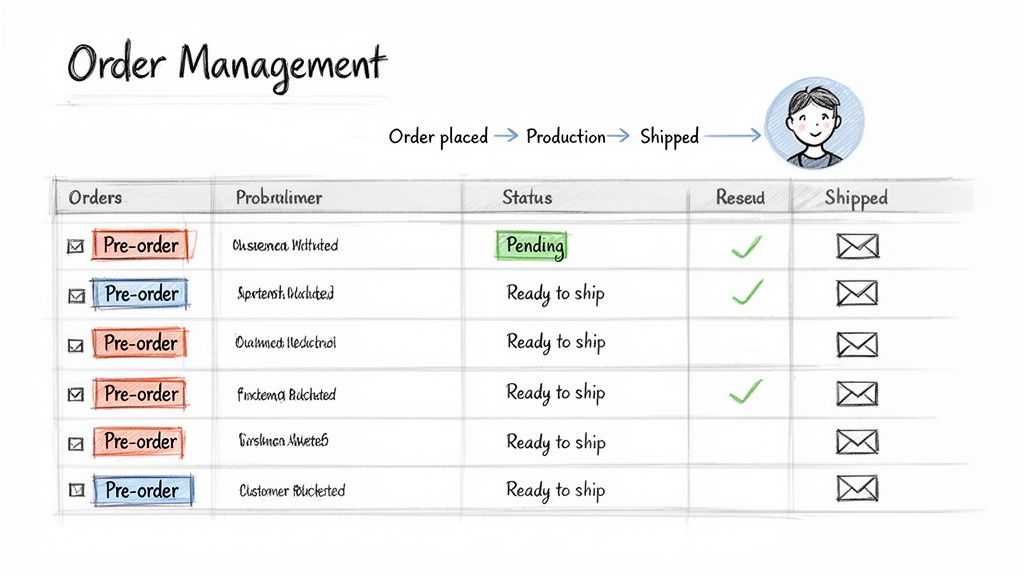
First things first, you have to separate your pre-orders inside the Shopify admin. If you don't, they'll get lost in the sea of your regular orders, which is a recipe for confusion and shipping mistakes. The easiest way to do this is with order tags. You can add them manually or have a pre-order app do it for you, but tagging every single pre-order with something like "Pre-Order" or "April-Shipment" is an absolute must.
That one little tag lets you create a custom filtered view on your Shopify Orders screen. Just like that, you have a dedicated dashboard for all your Shopify pre-orders, completely walled off from your in-stock items.
Once your orders are properly tagged, you can build a workflow that actually works. This isn't just about being organized; it's about getting your entire operation ready for the flood of shipments when your inventory finally shows up. A messy fulfillment process can destroy all the customer goodwill you built up.
Your pre-launch workflow should look something like this:
This approach stops fulfillment from being a last-minute scramble and turns it into a smooth, predictable process. When your products hit the warehouse, you'll be ready to ship them out fast and without errors.
The waiting period is where you either lose a customer forever or create a die-hard fan. Silence creates anxiety. It leads to a mountain of "Where is my order?" tickets and, even worse, chargebacks. Research from behavioral economics shows that people feel like they're waiting for a much shorter time when they're kept in the loop.
Don’t make your customers guess what's going on. A simple, automated email confirming their spot in line or sharing a behind-the-scenes photo from the factory can turn a frustrating delay into an exciting countdown.
Your communication shouldn't be an afterthought; it needs to be a planned sequence. If you use an email platform like Klaviyo, build a dedicated email flow specifically for your pre-order customers.
Here are a few essential emails you should have locked and loaded. Tweak the copy to match your brand's voice, but make sure the core message is always crystal clear.
This kind of structured communication makes the wait feel like part of a journey, strengthening their bond with your brand long before the box ever lands on their doorstep.
Even with a rock-solid plan, you’re bound to run into a few practical questions when you launch a pre-order campaign. It just comes with the territory.
Getting ahead of these common concerns will help you sidestep any major issues and run your campaigns with a lot more confidence. Let's tackle the questions I hear most often from other merchants.
Honestly, yes. It's a real possibility.
From a payment processor's point of view, taking a bunch of money for products you don't physically have in stock can look a bit suspicious. This is especially true for newer stores, accounts that see a huge, sudden spike in sales, or campaigns with really long fulfillment windows—think 3+ months out.
But don't let that scare you. You can absolutely minimize the risk:
You really have two ways to go here, and your choice will have a direct impact on your cash flow and how much your customers trust you.
First, you can capture payment immediately. This is what most brands do. You get the cash upfront, which is a lifesaver for covering production costs. It’s pretty much essential for new product launches when you need that capital to get the ball rolling.
The other option is to authorize the payment but capture it later. Some apps and custom setups let you place a temporary hold on the customer's card without actually charging it until you ship. This can make customers feel a bit more comfortable, but be warned: Shopify payment authorizations expire. This method only really works for pre-order windows that are super short.
For the vast majority of brands, just capturing the payment immediately is the most practical and financially sound strategy. The trick is to earn that trust by being radically transparent about your shipping timeline and keeping customers in the loop.
Treat shipping for pre-orders exactly like you would for any other order. That means calculating and charging for shipping at checkout.
It can be tempting to offer a blanket "free shipping" promise, but I'd advise against it unless you've crunched the numbers and know exactly how it will affect your margins. Shipping rates can easily change between when the customer places the order and when you actually ship it months later.
Remember, the industry-wide cart abandonment rate hovers around 70%. Surprising customers with a hefty shipping fee right at the end is one of the fastest ways to lose a sale you worked hard to get. Be upfront about the costs.
Ready to turn your pre-order strategy into a genuine revenue-driving event? Quikly goes way beyond simple countdown timers. We use the science of urgency marketing to build high-impact campaigns that get shoppers to convert the second they hit your page.
See how our platform can seriously amplify your next launch by visiting https://hello.quikly.com.